By default, the meta keyword options are inactive in All in One SEO (AIOSEO). This is because meta keywords are no longer used by Google for web ranking. For more details, check this official article from Google.
However, other search engines still consider meta keywords, so it can be useful to add them to your content.
In this Article
1. Enable Meta Keywords settings.
2. Add Meta Keywords to your content.
3. Delete Meta Keywords from your content.
4. Use Categories and Tags as Meta keywords.
5. Generate Meta Keywords automatically to your blog page.
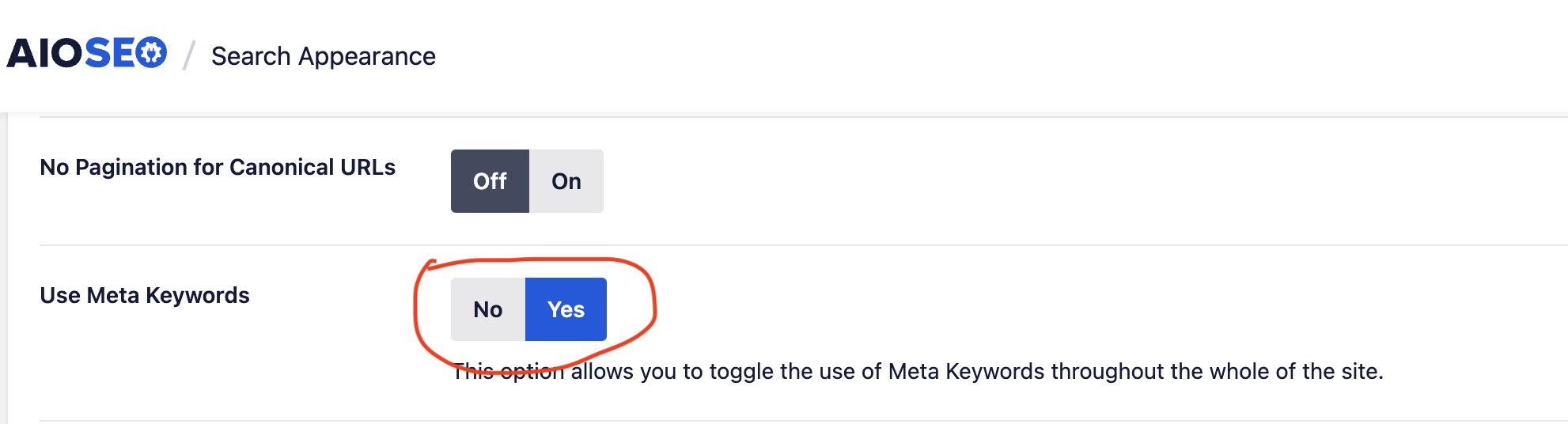
To enable the meta keywords feature, navigate to the Search Appearance section in the All in One SEO menu. Then, go to the Advanced tab and set Use Meta Keywords to Yes.
Edit any post or page, click the Advanced tab in the AIOSEO Settings section. Type keywords into the Keywords field and press Enter. Repeat for multiple keywords.
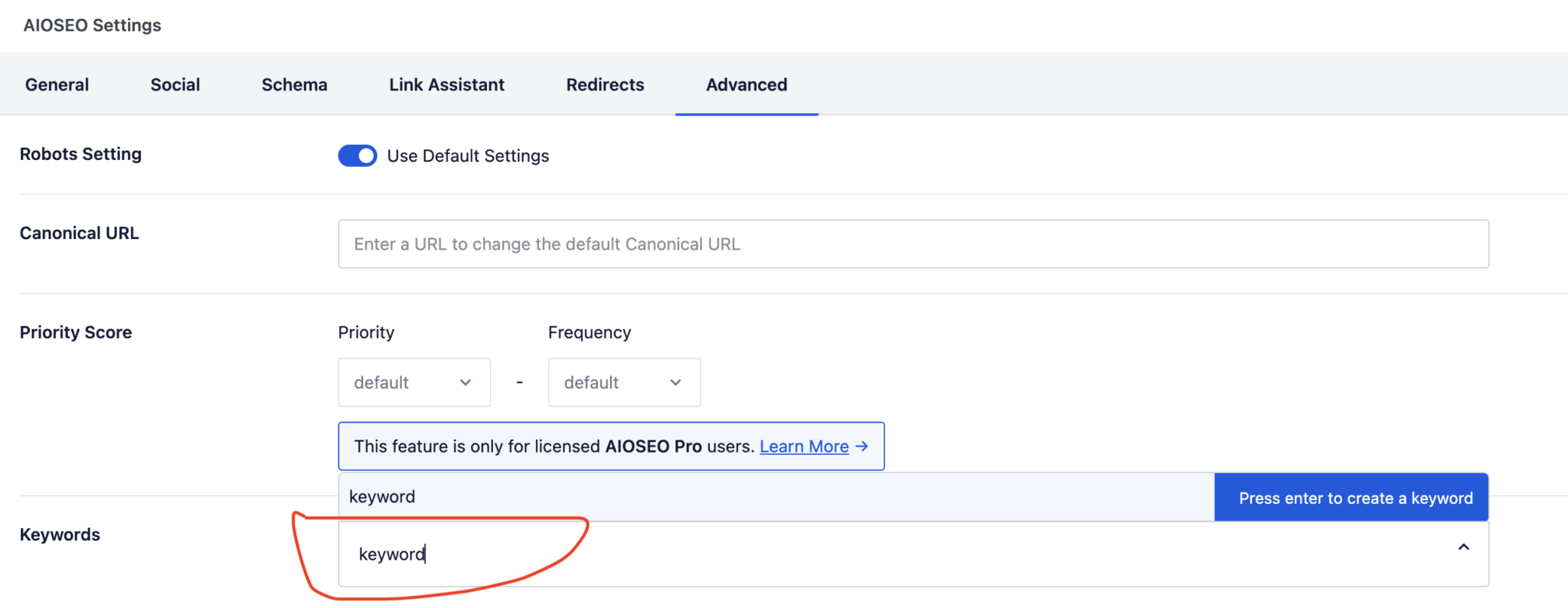
To delete a keyword, click the X next to the keyword in the Keywords field.

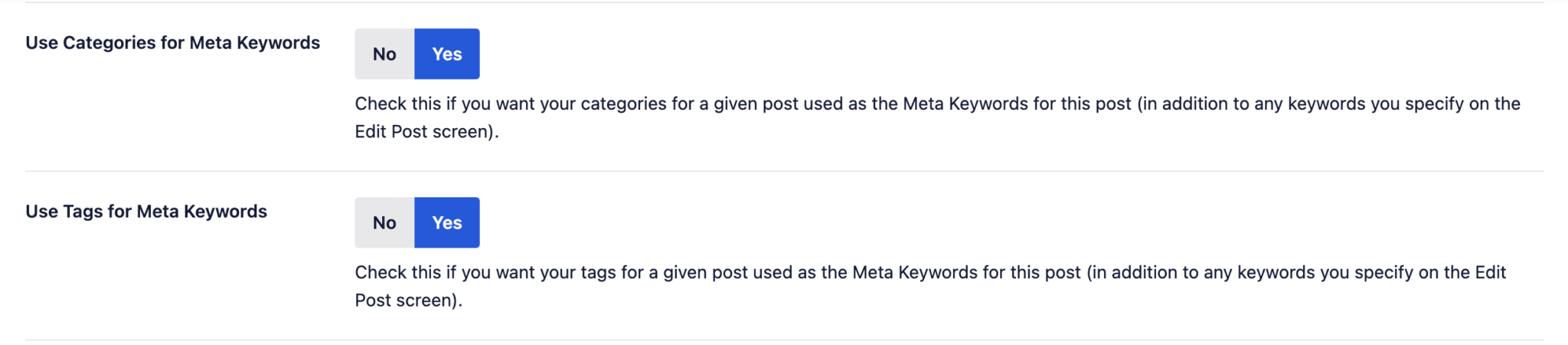
In addition to adding your own keywords, AIOSEO can generate meta keywords from categories or tags assigned to your posts. To enable this:
1. Go to Search Appearance > Advanced tab.
2. Set Use Categories for Meta Keywords and/or Use Tags for Meta Keywords to Yes.
AIOSEO can automatically generate meta keywords for post archives based on the keywords set in individual posts. To enable this, go to Search Appearance > Advanced tab and set Dynamically Generate Meta Keywords to Yes.

Prakash Pradhan
Sr. Software Engineer
Senior Software Engineer with 10+ years of experience in designing and scaling distributed systems and full-stack applications. Experts in optimizing system performance, and delivering high-impact technical solutions across the entire software development lifecycle.










Comments
No comments yet.