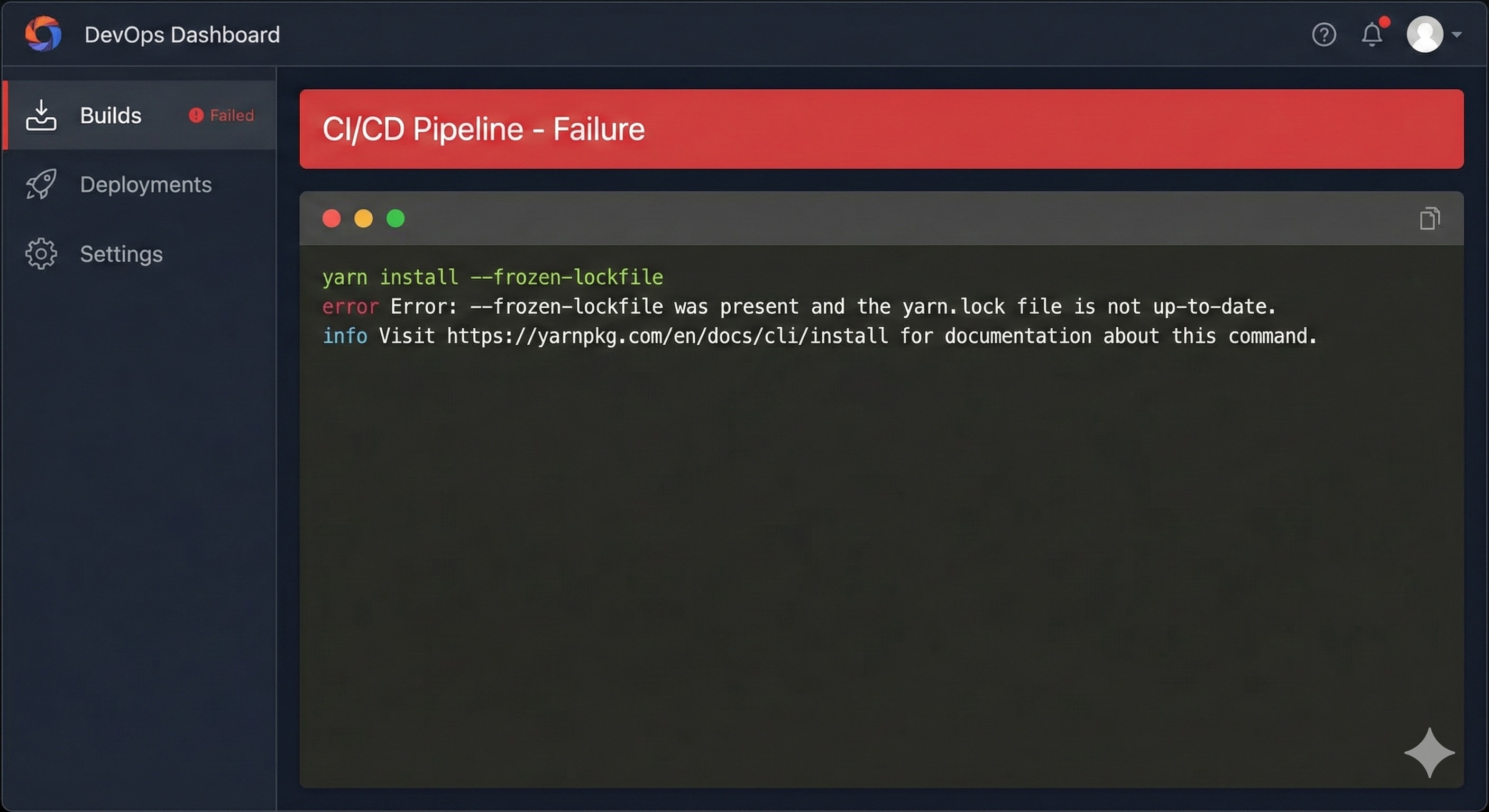
While running a CI pipeline (for example, CircleCI or GitHub Actions), you may encounter the following error during dependency installation.

CI Error
Your lockfile needs to be updated, but yarn was run with `--frozen-lockfile`.
info Visit https://yarnpkg.com/en/docs/cli/install for documentation about this command.
I recently faced this error while running a CircleCI pipeline. Let’s understand why this error occurs, what lock files are, and how to fix the issue correctly in CI environments.
What Is a Lock File?
A lock file (such as yarn.lock or package-lock.json) is an auto-generated file created by Yarn or npm. It records the exact versions of all installed dependencies, including nested dependencies.
This ensures that the same dependency versions are installed across all environments — local, staging, and production.
Why Do We Need a Lock File?
Most projects use semantic versioning, where dependency versions in package.json are prefixed with:
- ^ → allows minor version updates
- ~ → allows patch version updates
This means dependency versions can change over time without modifying package.json.
Without a lock file, installing dependencies on production servers may result in different versions than those tested during development, leading to unexpected bugs or broken builds.
A lock file prevents this by ensuring that the exact same versions are installed everywhere.
Should Lock Files Be Committed to Git?
Yes — always.
If you do not commit your lock file:
- CI may install newer dependency versions
- Production builds may behave differently
- Builds may break unexpectedly
By committing the lock file, you guarantee that everyone — developers, CI pipelines, and production servers — uses the same dependency tree.
Why Does the ––frozen-lockfile Error Occur?
Your lockfile needs to be updated, but yarn was run with `--frozen-lockfile`.
The --frozen-lockfile flag tells Yarn:
- Do not modify
yarn.lock
- Fail if
package.json and yarn.lock are out of sync
This error usually happens when:
- You updated
package.json
- You did NOT update or commit
yarn.lock
- CI runs
yarn install --frozen-lockfile
Since CI is not allowed to change the lock file, the build fails.
Solutions
Solution 1 (Recommended)
- Run
yarn install locally
- Verify that
yarn.lock is updated
- Commit and push
yarn.lock to the repository
This keeps dependencies consistent and is the safest approach for CI/CD.
Solution 2 (Not Recommended)
- Remove
^ or ~ from dependencies
- Delete
yarn.lock
- Reinstall dependencies
This approach removes flexibility and increases maintenance overhead. It is generally not recommended for modern projects.
Best Practices for CI Pipelines
- Always commit
yarn.lock
- Use
yarn install --frozen-lockfile in CI
- Update dependencies locally, not in CI
- Review lock file changes during code reviews
Following these practices will keep your CI builds stable and predictable.
I hope this article helps! Feel free to share feedback or suggestions.
Prakash Pradhan
Sr. Software Engineer
Senior Software Engineer with 10+ years of experience in designing and scaling distributed systems and full-stack applications. Experts in optimizing system performance, and delivering high-impact technical solutions across the entire software development lifecycle.










Comments
No comments yet.